Ad. When you purchase through links we provide, we may receive an affiliate commission. Here's how it works.
The Ultimate Guide to the Best Video Doorbells Without Subscription (2026)
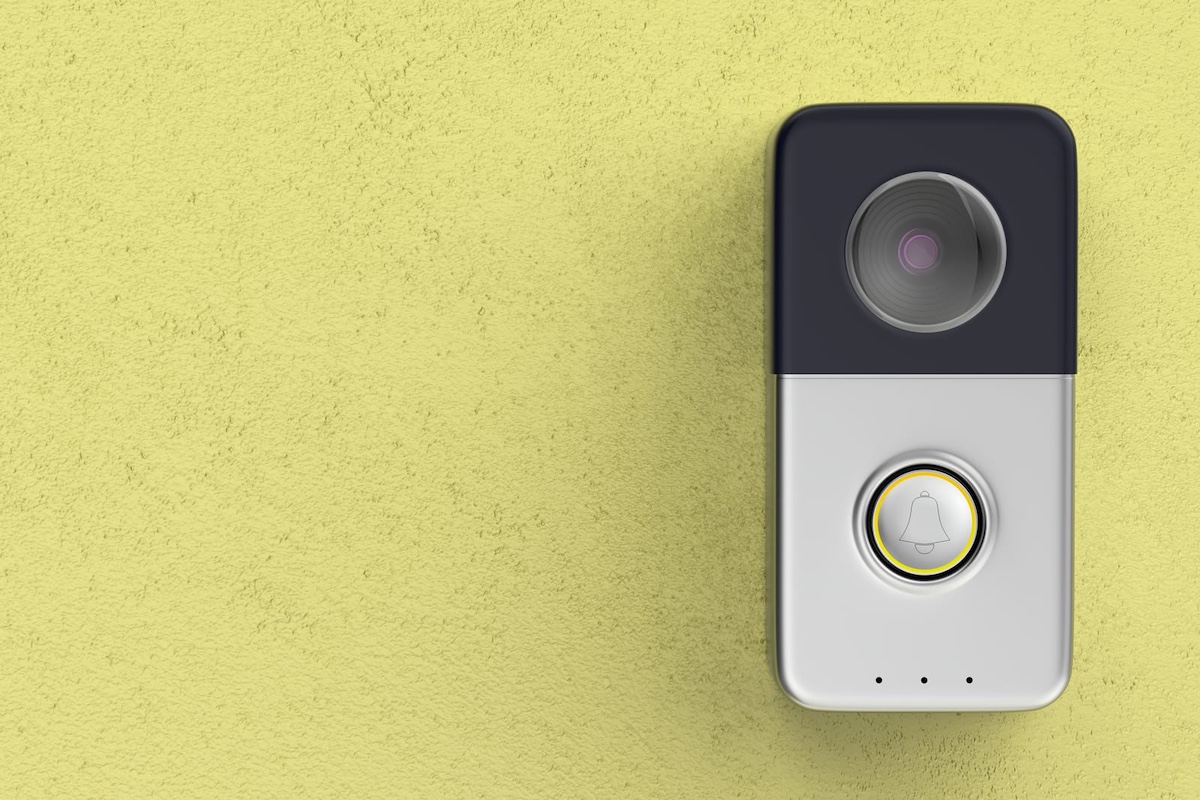
The best video doorbells without subscription in 2026 store footage locally (on a microSD card, NVR, or built-in memory) giving you full motion alerts, smart home integration, and 24/7 recording with no monthly fee.
The Eufy E340 is the best overall pick for most households, with dual cameras, 8GB built-in local storage, and every core feature free.
Quick Picks: Best Video Doorbells Without Subscription
- Eufy Video Doorbell E340: best overall; dual cameras cover your visitor’s face and the package at your feet at the same time
- TP-Link Tapo D225: best battery life and value; up to 8 months per charge, 180° field of view, free AI detection for people, vehicles, packages, and pets
- Aqara Video Doorbell G410: best for Apple HomeKit; Matter 1.5 native, built-in hub, 2K video, and 5GHz WiFi
- Reolink Video Doorbell PoE: best for 24/7 recording; PoE power, 6-second pre-roll, NVR/NAS/FTP support, no cloud needed
- UniFi G6 Entry: best for privacy-first users; 100% local NVR storage, zero cloud dependency, ever
Key Takeaways
- Subscription-based doorbells (Ring, Nest) charge between $3 and $10 per month, over five years that is up to $600 in fees to access footage you already paid to capture
- The Eufy E340 stores 8GB of event video on-device with no microSD card, no hub, and no recurring charge required
- The Reolink Video Doorbell PoE is the only model in this group that supports true 24/7 continuous recording to local storage with no subscription of any kind
- Matter 1.5, released November 2025, added native camera support for the first time; the Aqara G410 is one of the first subscription-free doorbells to implement it
- The UniFi G6 Entry has no onboard storage and requires a UniFi Protect NVR, factor in that infrastructure cost before purchasing
Why Subscription-Free Video Doorbells Are Worth It

The best video doorbells without subscription, sometimes called front door cameras, let you see, record, and review everything at your front door, without paying a monthly fee to access your own footage. Most major brands lock 24/7 recording or even basic clip history behind a paywall. The five doorbells in this guide do not.
You can find more subscription-free smart home options across our Smart Devices Reviews hub and our broader look at robot vacuums that work without internet.
Local storage means footage goes from your camera to a device in your home: a microSD card, an NVR, or built-in flash memory. You access it on your home network. No company can lose it, lock you out when a plan lapses, or raise prices after you’ve already set everything up.
For the legal side of doorbell cameras, what you can and cannot record, and where, the Cornell Law School’s overview of the legal expectation of privacy doctrine is useful reading.
For a primer on how your footage stays secure in transit, see our explainer on end-to-end encryption.
How We Researched These Picks
We analyzed specifications across more than 20 best video doorbells without subscription models, cross-referenced manufacturer documentation, firmware changelogs, and verified user reviews across Amazon and Reddit communities. We evaluated five dimensions for each pick: local storage options and flexibility, smart home ecosystem fit, night vision quality, power reliability, and privacy architecture.
For our full method and scoring rubric, see our review methodology.
Update history
September 3, 2026: refreshed product picks and Matter 1.5 coverage.
Best Video Doorbells Without Subscription – Full Comparison
| Product | Best For | Resolution | Storage Type | Power | Smart Home | EHC Score |
|---|---|---|---|---|---|---|
| Eufy E340 | Overall / packages + pets | 2K + 1080p dual | 8GB built-in + HomeBase | Battery or wired | Alexa, Google | 7.4 |
| Tapo D225 | Battery life / value | 2K QHD | microSD up to 512GB | Battery or wired | Alexa, Google | 7.2 |
| Aqara G410 | Apple HomeKit + Matter | 2K | microSD (indoor) + NAS | Battery or wired | HomeKit, Google, Alexa, Matter | 7.5 |
| Reolink PoE | 24/7 recording | 5MP | microSD + NVR/NAS/FTP | PoE wired | Alexa (partial) | 7.4 |
| UniFi G6 Entry | Privacy-first / UniFi | 5MP + 8MP dual | NVR only | PoE+ | UniFi only | 6.6 |
Eufy Video Doorbell E340: Best Overall

Eufy Video Doorbell E340
- 𝐃𝐮𝐚𝐥 𝐂𝐚𝐦𝐞𝐫𝐚𝐬, 𝐃𝐨𝐮𝐛𝐥𝐞 𝐒𝐞𝐜𝐮𝐫𝐢𝐭𝐲 | Dual cameras work seamlessly together. The front camera captures visitors head-to-toe…
- 𝐋𝐨𝐜𝐚𝐥 𝐒𝐭𝐨𝐫𝐚𝐠𝐞,𝐍𝐨 𝐒𝐮𝐛𝐬𝐜𝐫𝐢𝐩𝐭𝐢𝐨𝐧 | 8GB emmc local storage built in. No subscription. No monthly fee. Ever! Saves you…
- 𝐒𝐞𝐞 𝐖𝐡𝐚𝐭 𝐌𝐚𝐭𝐭𝐞𝐫𝐬 𝐢𝐧 𝟐𝐊 𝐅𝐮𝐥𝐥 𝐇𝐃 𝐂𝐥𝐚𝐫𝐢𝐭𝐲 | When a stranger rings your bell, details matter. 2K clarity…
The E340 is a dual-camera wired or battery doorbell with 8GB of built-in local storage; no hub, no subscription, and no microSD card required out of the box.
| EverydayHomeComfort Score | Eufy E340 |
|---|---|
| Local Storage & No-Subscription Value (30%) | 9.0 / 10 |
| Privacy Architecture (20%) | 5.0 / 10 |
| Video & Night Vision Quality (20%) | 8.0 / 10 |
| Smart Home Ecosystem Fit (15%) | 6.0 / 10 |
| Power Reliability & Install Flexibility (15%) | 8.0 / 10 |
| Overall Rating | 7.4 / 10 |
Why we picked it
- Dual cameras work simultaneously: the 2K front camera captures your visitor’s full face and body; the 1080p downward-facing camera captures packages placed at your feet, a blind spot that every single-lens doorbell misses
- 8GB eMMC built-in memory stores event clips with zero setup; expandable to 16TB with a HomeBase 3 hub if needed
- Color night vision with spotlight activates on motion: identifying faces and packages in full color in the dark
Real-world scenario: You receive deliveries while at work. The E340’s downward-facing camera captures the full package deposit, not just a torso walking away. Paired with on-device facial recognition (no cloud processing required), it distinguishes regular visitors from unknowns and sends differentiated alerts to your phone.
Pros
- Genuinely subscription-free: every core feature works with no monthly fee
- Dual-camera design is unique in the subscription-free doorbell market
- On-device facial recognition requires no cloud upload
- IP65 weatherproof: suitable for exposed installations in all climates
- Free pet and package detection included
Cons
- No Apple HomeKit support
- Documented privacy controversy, see note below
- Moisture trap in the design can cause phantom doorbell presses in heavy rain on some units
- Notification-to-live-view delay of up to 30 seconds reported by some users
Privacy note: Eufy was found in 2022–2023 to have uploaded facial recognition thumbnail images to AWS cloud servers without user consent, directly contradicting its “local only” marketing, a breach that resulted in a $450,000 New York Attorney General settlement in 2025. Eufy has since issued transparency commitments and firmware updates. If privacy is your top priority, the Reolink PoE or UniFi G6 Entry are architecturally more transparent. If the dual-camera package monitoring capability is the priority, the E340 remains one of the strongest subscription-free doorbells available, go in with clear eyes.
Best for: Pet owners and busy households that receive frequent deliveries and want a no-subscription doorbell that works straight out of the box.
TP-Link Tapo D225: Best Battery Life and Best Value
Sale

TP-Link Tapo D225
- 【Complete Flexibility – Wired and Wireless】The Tapo D225 offers users complete flexibility to mount…
- 【Incredible 2K QHD Live View】View with incredible clarity monitoring in fine detail. Easily identify…
- 【180° Head-to-Toe Field of View】Say goodbye to blind spots. See the full picture with a…
The D225 is a 2K QHD doorbell with a 10,000mAh battery, a 180° diagonal field of view, built-in color night vision spotlight, and full AI detection, all free, no subscription required.
| EverydayHomeComfort Score | Tapo D225 |
|---|---|
| Local Storage & No-Subscription Value (30%) | 7.0 / 10 |
| Privacy Architecture (20%) | 7.0 / 10 |
| Video & Night Vision Quality (20%) | 8.0 / 10 |
| Smart Home Ecosystem Fit (15%) | 6.0 / 10 |
| Power Reliability & Install Flexibility (15%) | 8.0 / 10 |
| Overall Rating | 7.2 / 10 |
Why we picked it
- Up to 8 months of battery life on a single charge: the longest runtime of any model reviewed here by a significant margin
- 180° diagonal field of view is the widest in this comparison: captures head to toe plus the sidewalk and driveway in the periphery
- Person, vehicle, package, and pet AI detection are all free: no subscription needed for any detection category
Real-world scenario: You travel frequently and want a doorbell that needs minimal maintenance. The D225 runs from spring through autumn on one charge, delivers categorized alerts (package detected, person detected, pet detected) directly to your phone, and covers the widest angle of any model reviewed here, all without a monthly fee.
Pros
- 8-month battery is a standout differentiator: no other model in this group comes close
- Free pet and vehicle detection: useful for pet owners
- Hardwired mode enables 24/7 continuous recording, rare for a dual-power model at this tier
- Includes chime in the box
- Built-in 98dB siren for deterrence
Cons
- Hardwiring the D225 disables your existing mechanical doorbell chime: you must use the included Tapo digital chime
- App UI is less polished than Eufy’s or Aqara’s
- 2.4GHz WiFi only; can be unreliable in dense apartment WiFi environments
- Rich notification thumbnail previews require a paid Tapo Care plan
Best for: Busy professionals, frequent travelers, and renters who want the lowest-maintenance subscription-free doorbell with the widest coverage and the longest battery life available.
Aqara Video Doorbell G410: Best for Apple HomeKit Users
Sale

Aqara Video Doorbell G410
- Works with HomeKit Secure Video and All Major Ecosystems: Fully compatible with Apple HomeKit Secure…
- Built-In Aqara Zigbee & Matter Hub for Simple Device Control: No extra hub needed. This doorbell camera…
- More Accurate Motion Detection with mmWave Radar: The advanced mmWave radar detects human presence with…
$133.99

Check Today’s Price on Amazon
The G410 is the 2025 successor to the Aqara G4. It delivers 2K video, a built-in Matter 1.5 hub with Zigbee and Thread (manufacturer claim), dual-band WiFi, and mmWave radar motion detection, making it the most future-proof subscription-free doorbell for Apple households and smart home builders.
| EverydayHomeComfort Score | Aqara G410 |
|---|---|
| Local Storage & No-Subscription Value (30%) | 7.0 / 10 |
| Privacy Architecture (20%) | 8.0 / 10 |
| Video & Night Vision Quality (20%) | 7.0 / 10 |
| Smart Home Ecosystem Fit (15%) | 10.0 / 10 |
| Power Reliability & Install Flexibility (15%) | 6.0 / 10 |
| Overall Rating | 7.5 / 10 |
Why we picked it
- Built-in Matter 1.5 controller + Thread Border Router + Zigbee 3.0 hub: the doorbell functions as a full smart home hub, eliminating the need for a separate hub device
- mmWave radar detects motion with far greater precision than PIR sensors, dramatically fewer false alerts from passing cars, wind, or shadows
- microSD slot is in the indoor chime unit, not the outdoor camera: footage stays inside your home even if the outdoor unit is stolen or tampered with
Real-world scenario: You run an Apple HomeKit setup and want one device to anchor it. The G410 connects natively to HomeKit, triggers automations when a recognized face arrives (welcome home scene, smart lock unlock), and stores 2K footage locally on the indoor-mounted microSD card. No iCloud subscription required for local recording.
Pros
- The only doorbell in this group with a built-in Matter hub: adds Zigbee and Thread to your home without a separate device
- 5GHz WiFi support, the only model here with dual-band, critical in dense WiFi environments
- Broadest platform support: HomeKit, Google Home, Alexa, Samsung SmartThings, Home Assistant, and Matter
- NAS backup support for network-savvy Apple users who want fully local redundant storage
- Local on-device facial recognition with automation triggers, no cloud required
Cons
- IPX3 rating only: splash-resistant, not rain-resistant; must be installed under a covered porch or overhang, not in direct rain exposure
- HomeKit Secure Video extended cloud storage requires an iCloud 50GB+ paid plan, local microSD storage is always free
- Wired installation requires 12–24VAC or 8–24VDC: verify your existing doorbell transformer before purchasing
Best for: Apple HomeKit households, smart home builders planning for Matter, and anyone who wants a subscription-free doorbell that doubles as a hub for Zigbee and Thread devices.
Reolink Video Doorbell PoE: Best for 24/7 Recording

Reolink Video Doorbell PoE
- 2K Super HD & 4:3 Aspect Ratio: Enjoy the super wide field of view of 135° (H) x 100° (V) x 180° (D…
- Chime V2 Included & Answer the Door Faster: Plug the chime included into any electrical socket in any…
- Easy & Reliable PoE Setup: Finish the installation in minutes with a Power over Ethernet design (power…
The Reolink PoE is a 5MP wired doorbell powered over Ethernet, with support for NVR, NAS, FTP, and microSD local storage, and the only model in this guide that supports true 24/7 continuous recording without any subscription.
| EverydayHomeComfort Score | Reolink PoE |
|---|---|
| Local Storage & No-Subscription Value (30%) | 9.0 / 10 |
| Privacy Architecture (20%) | 8.0 / 10 |
| Video & Night Vision Quality (20%) | 7.0 / 10 |
| Smart Home Ecosystem Fit (15%) | 4.0 / 10 |
| Power Reliability & Install Flexibility (15%) | 7.0 / 10 |
| Overall Rating | 7.4 / 10 |
Why we picked it
- Power over Ethernet (PoE) means a single cable handles both power and data: no WiFi dead zones, no battery to charge, no interference from neighboring networks
- 6-second pre-roll recording captures what happened before the motion trigger: you see the full event, not just the aftermath
- Compatible with NVR, NAS, FTP, and microSD simultaneously: the most flexible local storage options of any doorbell reviewed here
Real-world scenario: The Reolink Video Doorbell PoE is the only subscription-free doorbell in this group that records continuously, 24 hours a day, to a local NVR, with no cloud account, no monthly fee, and a 6-second pre-roll buffer that shows you what happened before the motion alert fired. If you already have Ethernet at your front door and a local NVR, this is the most capable recording solution in the category.
Pros
- Only model here with genuine 24/7 continuous recording to local storage
- PoE connection is the most reliable power and data delivery method available for a doorbell
- Pre-motion 6-second buffer is a real investigative tool: see what triggered the alert
- NAS and FTP support for home lab and network-savvy users
- Reolink NVR bundles available for a complete local recording system
Cons
- Requires running an Ethernet cable to your front door, not feasible in all homes without professional installation
- Smart home integrations are limited: no HomeKit, Alexa and Google integrations are partial at time of writing
- Downward angle does not capture close-to-door packages as effectively as the Eufy E340’s dedicated package camera
Best for: Network-savvy homeowners with existing Ethernet infrastructure who want maximum recording reliability, local storage flexibility, and a true 24/7 no-subscription doorbell camera.
UniFi G6 Entry: Best for Privacy-First Users

UniFi G6 Entry
- IR Night Vision: 5 m (16 ft)
- Resolution: Main camera: 5MP, Package camera: 8MP
The UniFi G6 Entry is a professional-grade dual-camera doorbell that stores all footage on a local UniFi Protect NVR, with zero cloud dependency, zero subscription, and zero third-party server involvement, ever.
| EverydayHomeComfort Score | UniFi G6 Entry |
|---|---|
| Local Storage & No-Subscription Value (30%) | 6.0 / 10 |
| Privacy Architecture (20%) | 10.0 / 10 |
| Video & Night Vision Quality (20%) | 8.0 / 10 |
| Smart Home Ecosystem Fit (15%) | 2.0 / 10 |
| Power Reliability & Install Flexibility (15%) | 6.0 / 10 |
| Overall Rating | 6.6 / 10 |
Why we picked it
- All footage is stored exclusively on your local UniFi Protect NVR: no cloud account, no internet dependency for recording, no data leaving your home network
- Dual cameras: 5MP main + 8MP package camera: the sharpest package-level detail of any model reviewed here
- NFC card and keyfob access integration: works with UniFi Access for smart lock and entry control workflows
Real-world scenario: You have built your home network on UniFi hardware and want a doorbell that fits that ecosystem natively. The G6 Entry feeds 5MP + 8MP footage to your local NVR, integrates with UniFi access control, and never touches a third-party server. It is the most genuinely private subscription-free doorbell available.
Browse our Smart Home Security & Privacy section for more on building a privacy-first smart home setup.
Pros
- Most genuinely private option: 100% local NVR storage, zero cloud, zero subscription
- Dual-camera system with professional-grade AI detection (people, vehicles, animals)
- NFC and keyfob access integration is unique in the subscription-free doorbell market
- Supports Face Recognition, Apple/Google Wallet, and mobile unlock in addition to NFC and keyfob: the broadest access-method support of any doorbell in this guide
Cons
- Requires a UniFi Protect NVR or Cloud Gateway, a significant infrastructure investment before the doorbell itself
- No Matter, HomeKit, Google Home, or Alexa support: fully locked to the UniFi ecosystem
- IP55 weatherproofing holds up better than most subscription-free competitors, though it’s still not the fully dust-tight IP65/IP66 rating some wired models carry
- Running Ethernet to the front door is required for most installations
Best for: Existing UniFi users, privacy-first homeowners building a fully local-only security system, and anyone who wants zero cloud dependency and zero sub
Wired vs. Wireless: Which Subscription-Free Doorbell Fits Your Home?
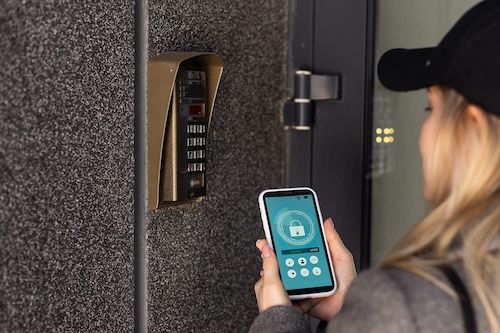
Every doorbell in this guide skips the subscription, but they don’t all skip the wiring the same way. Wired models give you continuous power and, in the Reolink PoE’s case, true 24/7 recording, but only if you’re willing to run a cable to your door.
- Installation: Wired picks (Reolink PoE, UniFi G6 Entry) need an Ethernet or low-voltage wiring run to your door, often a professional job if you don’t already have cabling there. Wireless doorbell cameras (Eufy E340, Tapo D225, Aqara G410) mount in minutes with a screwdriver and a battery.
- Power reliability: Wired doorbells never need charging and support continuous recording. Battery models need a periodic recharge; the Tapo D225’s 8 months is the longest in this group, but it’s still occasional downtime.
- Aesthetics and flexibility: A wireless doorbell camera can go anywhere you have signal, no cable in sight. Wired installs look cleaner long-term but lock the doorbell to wherever your existing wiring already terminates.
- Who each is for: Choose wired (Reolink PoE, UniFi G6 Entry) if you want 24/7 recording and can run wiring. Choose a wireless doorbell camera (Eufy E340, Tapo D225, Aqara G410) if you want a same-day install with no electrician.
Common Mistakes When Buying a Subscription-Free Video Doorbell
- Assuming “no subscription” means all features are free. Some doorbells lock specific features behind a paid tier. The Tapo D225 requires Tapo Care for rich notification thumbnails. Aqara’s HomeKit Secure Video cloud storage requires a paid iCloud plan. Read the feature matrix before assuming everything is included.
- Overlooking infrastructure costs for NVR-dependent models. The UniFi G6 Entry is excellent, but it requires a UniFi Protect NVR or Cloud Gateway. Skip that and you’re facing a several-hundred-dollar infrastructure cost before the doorbell is even operational. Budget for the full ecosystem, not just the doorbell.
- Installing the Aqara G410 in a rain-exposed location. Its IPX3 rating covers light splashes, not direct rain. Installed under a fully exposed porch without an overhang, expect hardware failure within months.
- Confusing the Reolink PoE with the Reolink WiFi variant. These are different products with different power sources, storage options, and capabilities. The PoE version requires an Ethernet run to your door.
- Hardwiring the Tapo D225 without planning for the chime. Hardwiring for 24/7 recording disables your existing mechanical doorbell chime. Plan to use the included Tapo digital chime instead.
- Choosing the Eufy E340 without reading its privacy history. Eufy had a 2022–2023 cloud upload controversy that led to a $450,000 New York Attorney General settlement in 2025. The hardware and local-storage architecture are sound today, but go in with that context if privacy is your top priority.
What Is Matter 1.5 and Why It Matters for Your Next Doorbell
Matter is an open smart home connectivity standard backed by Apple, Google, Amazon, and Samsung. If you are deciding between Matter, Zigbee, or Z-Wave for your broader smart home setup, our Zigbee vs Z-Wave vs Matter comparison covers how they actually stack up on range, interference, and ecosystem.
Before Matter, every ecosystem ran its own proprietary camera protocol: a Ring doorbell worked best in Alexa, a Nest doorbell in Google Home, a HomeKit camera in Apple. In November 2025, Matter 1.5 added native support for cameras and video doorbells for the first time, making it possible for a single doorbell to work natively with any Matter-compatible hub, regardless of brand. If a Matter-based doorbell is your starting point, adding Matter-certified lighting is the natural next step. Check our smart bulb comparison for picks that plug into the same ecosystem without extra hardware.
Learn more about setting up a Matter-compatible home in our guide to the best hubs for home automation.
The Aqara G410 is one of the first subscription-free video doorbells to implement Matter 1.5 natively. If you are building a smart home that might evolve, switching hubs, moving homes, or adding new platforms, a Matter-native doorbell is the only choice that stays flexible long-term. You can read more about the video doorbell category and how it has evolved on Wikipedia.
For a complete walkthrough of connecting smart home devices across platforms, see our guide to how to set up your smart home with Alexa.
Choose in 60 Seconds
- If you want the best overall subscription-free doorbell with no setup complexity → buy Eufy E340
- If you have an Apple HomeKit home → buy Aqara G410
- If you want the longest battery life available → buy TP-Link Tapo D225
- If you want 24/7 continuous recording to local storage → buy Reolink Video Doorbell PoE
- If you are already on UniFi and want zero cloud dependency → buy UniFi G6 Entry
- If you have pets and want free pet detection → buy TP-Link Tapo D225
- If you receive frequent deliveries and need package monitoring → buy Eufy E340 (dual cameras)
- If you are building for Matter and future-proofing your smart home → buy Aqara G410
Who This Is For
This is for you if:
- You want full motion alerts and footage access with no monthly fee
- You are building or expanding a smart home and need a doorbell that fits your ecosystem
- You receive regular deliveries and want reliable package detection
- You care about where your footage is stored and who can access it
- You want a doorbell that keeps working even if a company raises prices or discontinues a service
This is NOT for you if:
- You want plug-and-play simplicity with no configuration at all: Ring and Nest are easier to set up initially
- You need professional emergency monitoring integrated with your doorbell
- You are renting short-term and cannot run wiring or configure a local network
Frequently Asked Questions (FAQs)
Yes, every doorbell in this guide sends push notifications for motion, person detection, package alerts, and doorbell presses with no subscription required. The key distinction is what happens after the alert: free-tier doorbells deliver the notification and let you open a live view, but some models require a paid plan for rich thumbnail previews embedded directly in the notification.
The Eufy E340 and Reolink PoE both provide full notification history with clip access for free. The Aqara G410 sends person and motion alerts free via the Aqara Home app and through Apple HomeKit, which processes detection locally on your Apple hub. The Tapo D225 and Eufy E340 both support Alexa announcements and Google Home notifications at no charge. In short: alerts are always free across these five models.
What can require a paid plan on some models is the visual thumbnail preview embedded in the notification itself: the alert still arrives, it just shows a text description rather than an image.
Local storage means your footage is recorded directly to hardware in or near your home: a microSD card inside the camera or chime unit, a Network Video Recorder (NVR) on your home network, or built-in flash memory on the device itself. You access it through the camera’s app on your local network, and it stays entirely under your control.
Cloud storage means footage is uploaded from your camera through your internet connection to a company’s remote servers. It is convenient, you can check footage from anywhere, but it comes with trade-offs: monthly fees, reliance on the company’s infrastructure, and questions about who else can access your recordings.
All five doorbells in this guide use local storage as their primary no-subscription option. The Eufy E340 uses 8GB of built-in eMMC memory. The Tapo D225 and Aqara G410 use a microSD card stored inside the home. The Reolink PoE supports microSD, NVR, NAS, and FTP. The UniFi G6 Entry requires a UniFi Protect NVR.
Yes, four of the five doorbells reviewed here work with Alexa, Google Home, or both. The Eufy E340 works with Alexa and Google Assistant for voice announcements and live view on Echo Show devices.
The TP-Link Tapo D225 connects to both Alexa and Google Home. The Aqara G410 supports Alexa, Google Home, Apple HomeKit, Samsung SmartThings, Home Assistant, and Matter, the broadest ecosystem support in this group. The Reolink PoE lists Alexa support, though full integration depth was still rolling out at time of publication: check the Reolink app changelog for current status. The only exception is the UniFi G6 Entry, which does not integrate with Alexa, Google, or HomeKit: it works exclusively within the UniFi Protect ecosystem.
If Alexa announcements or Google Home routines are part of your daily setup, the Eufy E340 or Tapo D225 are the most reliably integrated options.
Still deciding which ecosystem to build around? Our Alexa vs Google Home comparison breaks down compatibility and privacy before you commit to either platform.
No, the Aqara G410’s local microSD storage works entirely without an iCloud subscription. You insert a microSD card (up to 512GB) into the indoor chime unit, and all motion-triggered clips record directly to that card. You access them through the Aqara Home app without any monthly fee.
What iCloud unlocks is HomeKit Secure Video: Apple’s cloud-based video processing system that runs clips through your Apple hub (HomePod, Apple TV, or iPad) before uploading them end-to-end encrypted to iCloud.
HomeKit Secure Video requires an iCloud 50GB or higher plan, but that is entirely optional. If you use the Aqara Home app directly rather than Apple’s Home app, local microSD recording is completely free. The G410 also supports NAS backup for users who want network-attached storage without any cloud at all — a useful option for Apple users with a home server or NAS device.
Summary: free local storage is always available. iCloud Secure Video is an optional upgrade for Apple Home users who want encrypted cloud redundancy.
In most cases, no, not unless you are planning to build a full UniFi home network around it.
The G6 Entry has no onboard storage and cannot record footage without a UniFi Protect NVR or UniFi Cloud Gateway running on your local network. That infrastructure commitment is significant and represents a real investment before the doorbell itself is even functional. The G6 Entry also has no Amazon Alexa, Google Home, Apple HomeKit, or Matter integration: once you are in the UniFi ecosystem, you are fully committed to it.
If you already have UniFi hardware managing your home network, the G6 Entry is the best privacy-first subscription-free doorbell in this guide: 100% local storage, professional dual-camera AI detection, and NFC access control. But if you are starting from scratch and just want a reliable no-subscription doorbell, the Eufy E340 or Reolink PoE deliver strong local storage and excellent video quality without requiring any additional infrastructure.
Reserve the UniFi G6 Entry for an existing UniFi home, not as a standalone first purchase.
For doorbells using local storage, microSD card, NVR, or built-in memory, an internet outage has no effect on recording. Footage continues writing to local storage as normal.
The Eufy E340’s built-in 8GB memory, the Tapo D225’s microSD card, the Reolink PoE’s NVR or NAS, and the UniFi G6 Entry’s NVR all record regardless of internet connectivity status.
What you lose during an outage is the ability to receive push notifications on your phone, those require an active internet connection to deliver, and the ability to view live footage remotely from outside your home network. On your local network (phone connected to home WiFi), you can still access live view and recorded clips on most of these models even without internet.
The Aqara G410 behaves similarly: local microSD recording continues offline, but HomeKit Secure Video cloud backup pauses until internet is restored.
For households in areas with unreliable internet connectivity, a local-storage subscription-free doorbell is the more resilient and reliable choice.
The E340 is technically capable and has a strong local storage architecture, but the history is worth understanding before you purchase.
In 2022 and 2023, security researchers discovered that Eufy cameras were uploading facial recognition thumbnail images to AWS cloud servers without user consent, directly contradicting Eufy’s marketing claim that footage never left the device. The issue extended to the encryption of live streams, which were found to be accessible without authentication under certain conditions. Eufy (owned by Anker) responded with firmware updates and transparency commitments. In 2025, the New York Attorney General secured a $450,000 settlement related to these privacy violations, requiring Eufy to implement stronger disclosures and security commitments going forward.
For most users today, the E340 is likely safe: local storage architecture is sound and the improvements are real. But if privacy is your top priority and you want the most architecturally transparent option, the Reolink PoE or UniFi G6 Entry are better defaults. The E340 is best approached with clear expectations: excellent hardware, dual-camera utility, and a company that has made meaningful improvements after a serious misstep.
It depends on the model and power source.
Most battery-powered doorbells record event clips only when motion is detected: continuous recording would drain the battery in hours. But wired and PoE-powered models can support 24/7 continuous recording.
In this guide:
- The Reolink Video Doorbell PoE supports true 24/7 continuous recording to a connected NVR or NAS: it is the standout in this group for always-on, no-gap coverage.
- The TP-Link Tapo D225 supports 24/7 continuous recording when hardwired (not in battery mode): one of its strongest selling points for the wired installation use case.
- The UniFi G6 Entry supports 24/7 recording to the UniFi NVR in multiple quality and retention settings.
- The Eufy E340 (wired) records event-triggered clips to its 8GB built-in memory or HomeBase 3: it does not support 24/7 continuous recording.
- The Aqara G410 records event-triggered clips to microSD or NAS.
If true 24/7 coverage with no gaps is your requirement, the Reolink Video Doorbell PoE is the clear choice among no-subscription doorbells.
Summary
The best video doorbells without subscription in 2026 cover every household type and use case.
- The Eufy E340 is the best overall pick for most users: dual cameras, built-in storage, and zero setup friction.
- The TP-Link Tapo D225 offers the longest battery life on the market and the widest field of view, with every AI detection feature free.
- The Aqara G410 is the right choice for Apple HomeKit households that want Matter 1.5 native compatibility and a doorbell that doubles as a smart home hub.
- The Reolink PoE is unmatched for 24/7 local recording reliability.
- The UniFi G6 Entry is the gold standard for privacy-first, zero-cloud local storage.
Every model delivers full motion alerts and smart home integration with no monthly fee.
Not sure where to start? The Eufy E340 covers the most use cases out of the box: dual cameras, no microSD needed, and no subscription ever.
For more smart home guides, visit our Smart Home Automation section or explore the full EverydayHomeComfort site.