Ad. When you purchase through links we provide, we may receive an affiliate commission. Here's how it works.
Zigbee vs Z-Wave vs Matter: Full 2026 Comparison
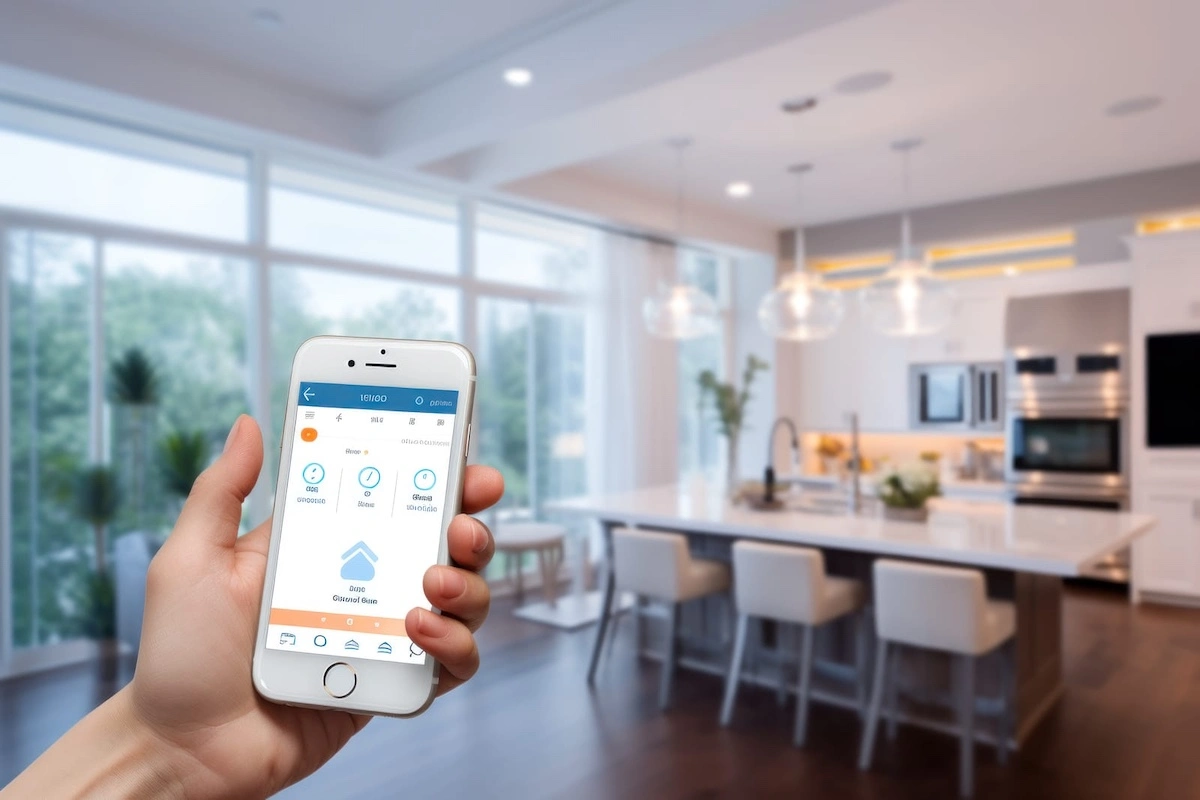
In the Zigbee vs Z-Wave vs Matter comparison, Zigbee gives you the most affordable device ecosystem and the best sensor battery life.
Z-Wave wins on interference resistance and security for critical devices like locks.
Matter is the easiest smart home protocol to start with today and the safest long-term bet for any new device you buy in 2026.
Quick Verdict
- Choose Zigbee if: you want the widest device selection and the lowest per-device cost, or you need sensors that run for years on a single battery.
- Choose Z-Wave if: your home has thick walls, a crowded Wi-Fi environment, or you need airtight security for smart locks and alarm sensors.
- Choose Matter if: you are starting fresh in 2026, already own a smart speaker that doubles as a Thread border router, or want one app to control devices across Apple, Google, and Amazon ecosystems.
Main difference:
Zigbee and Z-Wave are radio protocols that form dedicated device meshes.
Matter is a software standard that runs over Thread, Wi-Fi, or Ethernet and bridges multiple ecosystems together.
Bottom line:
For most people in 2026, combining Matter for new device purchases with Zigbee for sensors is the setup you will not regret.
Key Takeaways
- Zigbee runs on 2.4 GHz and supports 4,000-plus certified devices, but shares that band with every Wi-Fi router in your building.
- Z-Wave uses a dedicated sub-GHz frequency (908.42 MHz in the US) that no other consumer device uses, making it the most interference-resistant smart home protocol available.
- Matter 1.5, released in November 2025, added native support for cameras and video doorbells.
Prior to this version, cameras were entirely absent from the Matter spec. - A single Matter device can be simultaneously controlled by Apple Home, Google Home, and Alexa without any bridge or workaround.
This capability is called multi-admin. - Z-Wave Long Range (ZWLR) supports up to 4,000 devices on a star-topology network with a 1-mile range per hop, a significant leap from standard Z-Wave’s 232-node mesh limit.
EverydayHomeComfort Score
| Category | Zigbee | Z-Wave | Matter |
|---|---|---|---|
| Setup Ease | 6/10 | 6/10 | 9/10 |
| Device Ecosystem | 9/10 | 7/10 | 7/10 |
| Interference Resistance | 5/10 | 9/10 | 7/10 |
| Security | 7/10 | 9/10 | 8/10 |
| Cost of Entry | 9/10 | 5/10 | 7/10 |
| Overall Rating | 7/10 | 7/10 | 8/10 |
If you are building a smart home, you will hit the same three-letter wall: Zigbee vs Z-Wave vs Matter.
These three protocols each power millions of smart devices.
But they work in fundamentally different ways, plug into different ecosystems, and serve different types of buyers.
This guide cuts through the technical specs and tells you exactly which one fits your home and your life.
Key Differences at a Glance
| Feature | Zigbee | Z-Wave | Matter |
|---|---|---|---|
| Radio Frequency | 2.4 GHz | 908.42 MHz (US) | Thread / Wi-Fi / Ethernet |
| Network Type | Mesh | Mesh (max 4 hops); ZWLR: star | Thread mesh or Wi-Fi direct |
| Max Devices | 50-200 (coordinator-dependent) | 232 standard; 4,000 with ZWLR | No fixed limit |
| Range Per Hop | 10-15 m indoors | 50 m indoors; 1 mile with ZWLR | Thread: ~20 m; Wi-Fi: router-dependent |
| Encryption | AES-128 (Zigbee 3.0) | AES-128 + S2 framework | AES-256 + PKI certificates |
| Hub Required | Yes | Yes | No; smart speaker works |
| Investment Level | Low | High | Medium |
| Works Without Cloud | Yes (with local hub) | Yes (with local hub) | Yes (by design) |
How Zigbee, Z-Wave, and Matter Actually Work
Zigbee is a mesh radio protocol based on IEEE 802.15.4.
Mains-powered Zigbee devices (lights, outlets) act as routers, passing signals from device to device until the message reaches the coordinator hub.
Battery-powered sensors are end nodes: they send and receive signals but do not repeat them.
A motion sensor in a far corner of your home needs at least one powered Zigbee device nearby to maintain a stable connection.
A bedroom outlet or smart plug added to that area becomes a router node and stabilizes the mesh immediately.
Z-Wave also uses mesh topology, but on a dedicated sub-GHz frequency: 908.42 MHz in the US, as documented in the Z-Wave technical specification.
Standard Z-Wave mesh supports up to 232 devices with a maximum of 4 hops between any device and the hub.
Z-Wave Long Range, introduced with the 700-series chip, changes the architecture completely: star topology where each device connects directly to the hub, 1-mile range, and 4,000-device capacity per network.
As of early 2026, 125 certified ZWLR devices are available, with more added each quarter.
Matter is not a radio protocol.
It is an application-layer standard developed by the Connectivity Standards Alliance that defines how devices communicate with controller apps and across ecosystems.
Matter runs on top of Thread (a low-power IPv6 mesh protocol designed for IoT), Wi-Fi, or Ethernet.
Bluetooth Low Energy is used only for the initial commissioning step.
Thread-based Matter devices need a Thread border router nearby, a device that bridges the Thread mesh to your home’s IP network.
Many smart speakers already include one (Apple TV 4K 3rd gen, Google Nest Hub 2nd gen, Echo 4th gen) without requiring any additional hardware purchase.
Matter does not replace Zigbee or Z-Wave.
It is an application-layer standard that runs on top of Thread, Wi-Fi, or Ethernet, and existing Zigbee and Z-Wave devices can be exposed to Matter controllers through a compatible bridge hub.
Setup Experience and Device Ecosystem
Matter wins setup by a clear margin.
Pairing a Matter device is a QR code scan: point your phone at the label, your ecosystem app finds the device, and pairing completes in under a minute.
Zigbee and Z-Wave both require a dedicated hub with manual inclusion mode, and Z-Wave’s S2 security framework adds a PIN code or DSK key verification step.
That friction gap matters most for buyers who want things to work without weekend research.
Zigbee has the largest device ecosystem: 4,000-plus certified products across lighting, sensors, outlets, and locks at the lowest average per-device prices.
Because Zigbee’s chipset is based on an open standard, competition among manufacturers keeps costs down.
The trade-off: not all Zigbee 3.0 devices interoperate without compatibility testing.
Certain Aqara end devices have documented incompatibilities with specific Zigbee router brands in the mesh, which can leave sensors without a working relay.
Verify your specific device-hub combination in the Zigbee2MQTT supported devices list before buying.
Z-Wave has 4,500-plus certified devices but the catalog concentrates on security (locks, door sensors, motion detectors, sirens) and lighting.
Devices cost more than Zigbee equivalents.
The certification program is strict, which means fewer compatibility surprises but also fewer product categories at affordable price points.
Matter’s ecosystem is growing but still maturing.
The Matter version history shows steady expansion: 1.0 (2022) covered lights and locks; 1.2 added robot vacuums and air purifiers; 1.5 (November 2025) added cameras and video doorbells with Matter support.
If you’re shopping for a Matter-compatible robot vacuum this season, the Roborock Saros 10R in our Black Friday robot vacuum deals guide supports it.
Since lighting was part of Matter from day one, it’s also the safest category to buy into right now.
Our best smart bulbs guide breaks down which models, including a Nanoleaf pick built specifically for Matter, actually deliver on that promise.
The key caveat: Matter strips manufacturer-specific features.
Devices controlled through Apple Home or Google Home via Matter expose only basic on/off, dim, and color controls.
Lighting effects and firmware-specific settings live exclusively in the manufacturer’s proprietary app.
For a full breakdown of which hubs support which protocols, see our guide to the best hub for home automation in 2026.
For Alexa-specific integration across all three protocols, see our guide to setting up a smart home with Alexa.
If you haven’t picked an ecosystem yet, see our Alexa vs Google Home comparison to decide which one fits your home first.
Zigbee vs Z-Wave vs Matter: Interference and Reliability
Z-Wave is the only smart home protocol that operates on a dedicated sub-GHz frequency, which means it never competes with your Wi-Fi network, your neighbor’s router, or your microwave.
In a dense apartment building where a spectrum scan reveals 20 to 40 overlapping 2.4 GHz networks, Z-Wave signals pass through walls unaffected by Wi-Fi congestion.
Sub-GHz signals also diffract around obstacles more effectively than 2.4 GHz, which explains why Z-Wave performs consistently well in older homes with masonry walls or multiple concrete floors.
Zigbee’s 2.4 GHz frequency is its biggest weakness in dense environments.
All Zigbee channels (11 through 26) overlap with 2.4 GHz Wi-Fi to some degree.
Channels 15, 20, 25, and 26 minimize overlap with the most common Wi-Fi channels.
Setting your router to 20 MHz channel width reduces interference further.
There is also a specific, well-documented problem: USB 3.0 ports emit broadband noise at 2.4 GHz.
If your Zigbee coordinator dongle is plugged directly into a USB 3.0 port on your hub machine, sensor dropouts are almost predictable.
A USB 2.0 extension cable that moves the dongle a few inches away from the port resolves this in most cases.
Thread border router conflicts, caused by multiple smart hubs each trying to manage the same Thread mesh, are the most common Matter setup problem in homes with multiple competing ecosystems.
If you own an Apple TV, a Google Nest Hub, and an Amazon Echo simultaneously, each runs its own Thread border router.
Multiple overlapping Thread border routers from different brands can create competing Thread meshes that interfere with each other.
Removing one hub can destabilize the rest of the Thread network.
If you are building a multi-ecosystem Matter setup, activate one Thread border router first and test stability before adding others.
Real-world scenario:
In a 1,400 sq ft apartment with 11 visible Wi-Fi networks, a Zigbee sensor network on channel 15 with adequate mains-powered relay devices performs reliably for typical automation tasks.
But adding USB 3.0 storage to the same hub machine without an extension cable for the Zigbee dongle is likely to cause sensor dropouts within days.
Security and Privacy
Z-Wave’s Security 2 (S2) framework is the strongest radio-layer security of the three.
S2 uses AES-128 encryption with mandatory authenticated pairing via PIN or DSK QR code, which closes the man-in-the-middle vulnerability that exists when a device and hub exchange encryption keys during pairing.
Older Z-Wave chips (100 to 300 series) used S0 encryption with confirmed vulnerabilities.
The 700 and 800 series resolve these completely.
For security-critical applications, confirm any Z-Wave device you buy specifies 700 or 800 series hardware.
Zigbee 3.0 uses AES-128 encryption with install code authentication, comparable to Z-Wave S2 when properly configured.
A peer-reviewed security analysis of Zigbee 3.0 networks identified residual risks including node impersonation on networks that do not enforce install codes at the coordinator level.
Home Assistant with Zigbee2MQTT supports install codes.
Enabling them adds meaningful protection for smart locks and door sensors.
For a broader look at how encryption protects smart home communications, our guide on end-to-end encryption in smart home devices covers the underlying framework.
Matter uses Public Key Infrastructure (PKI) with per-device certificates issued at manufacturing time, combined with AES-256 encryption for data in transit.
Every Matter device has a unique cryptographic identity validated during commissioning.
Matter is also designed to prioritize local control: commands route through your home network, not a manufacturer’s cloud server.
For comparison, our roundup of smart devices that work locally without cloud shows what genuinely local operation looks like across device categories.
Future-Proofing and Roadmap
Matter has the strongest forward trajectory by ecosystem breadth.
Amazon, Apple, Google, Samsung, IKEA, Bosch, LG, and Schneider Electric are all active contributors to the CSA spec.
Version updates have added new device categories consistently every six months.
That said, platform implementation lags the spec: a device supporting Matter 1.2 may appear as a blank tile in an app that has only implemented Matter 1.0.
Check current platform compatibility before buying any device certified above Matter 1.0.
Z-Wave Long Range changes the protocol’s value proposition for large properties.
ZWLR’s star topology, 1-mile range, and 4,000-node capacity make it the only smart home protocol designed for a home with a detached garage, a barn conversion, or a property where Zigbee or Wi-Fi signal cannot reach.
The 700 and 800 series chipsets are actively produced with a clear multi-year roadmap, and backward compatibility across all Z-Wave generations remains a defining feature.
Zigbee is the most mature protocol with the largest installed base but has the least obvious upgrade path.
The Zigbee Alliance merged into the CSA and now focuses resources on Matter.
Zigbee 3.0 is stable, device production is strong, and the ecosystem will remain supported for many years.
For buyers who want minimal ongoing maintenance, Zigbee’s maturity is actually an asset: the troubleshooting community is enormous and nearly every problem has a documented solution.
The best Matter-certified smart thermostats now bridge both worlds, working in Zigbee-based Home Assistant setups and native Matter ecosystems simultaneously.
Pros and Cons
Zigbee
Pros:
- Largest device ecosystem at the lowest per-device cost: 4,000-plus certified products across lights, sensors, outlets, and locks
- Sensor battery life of 1 to 5 years on a single coin cell, ideal for door, window, and motion sensors
- Full local control with no cloud dependency when used with Home Assistant or Hubitat
- Mesh self-heals as you add mains-powered devices, improving coverage in weak areas automatically
Cons:
- Shares the 2.4 GHz band with Wi-Fi; USB 3.0 interference from the coordinator dongle causes dropouts without mitigation
- Not all Zigbee 3.0 devices interoperate without compatibility testing; mesh planning requires attention to relay placement
- Requires a dedicated coordinator and hub; no path to single-app control without a Matter bridge
Z-Wave
Pros:
- Sub-GHz frequency is interference-free in virtually all home environments, including dense apartments and masonry buildings
- S2 security framework with mandatory authenticated pairing is the strongest consumer-grade radio security of the three
- Z-Wave Long Range extends capacity to 4,000 devices with 1-mile range, the only protocol built for large or multi-structure properties
- Backward compatible across all generations: devices from 2010 pair with current hubs without adapters
Cons:
- Devices cost more than Zigbee equivalents due to historically limited chipset supply competition
- Regional frequency incompatibility: EU and US Z-Wave devices use different frequencies and will not pair cross-region
- Device catalog skews toward security and lighting; fewer affordable product categories than Zigbee or Matter
Matter
Pros:
- QR code commissioning is the simplest pairing experience of the three protocols by a significant margin
- Multi-admin lets a single device be controlled simultaneously by Apple Home, Google Home, and Alexa without any bridge
- PKI per-device certificates and AES-256 encryption represent the most robust overall security architecture
- No dedicated hub required if you already own a compatible smart speaker with a Thread border router
Cons:
- Feature stripping: proprietary manufacturer features disappear when devices are controlled through Matter; the manufacturer app remains necessary for full functionality
- Thread border router conflicts between multiple competing hub ecosystems can destabilize the Thread mesh
- Platform implementation lags the spec; a device may be certified for a Matter version that your chosen app has not yet implemented
Common Mistakes When Choosing a Smart Home Protocol
- Placing Zigbee sensors without building the mesh first.
Battery-powered Zigbee sensors cannot relay signals.
A motion sensor in a back bedroom with no mains-powered Zigbee device nearby will drop off the network regularly.
Add a Zigbee outlet or smart plug to that room before installing the sensor.
The outlet becomes a router node and stabilizes the connection immediately. - Buying Z-Wave devices from an international retailer without verifying frequency.
If you buy a Z-Wave device designed for the European market and use it in a US home, it will not connect to any US hub, because the radio frequencies are physically incompatible.
The Z-Wave Alliance certification database lists each device’s operating frequency.
Always verify before purchasing from a non-domestic source. - Assuming Matter means no hub is required at all.
Matter over Thread still requires a Thread border router.
A HomePod original (1st gen) does not include one.
The HomePod mini (2nd gen) does.
Confirm the specific model before buying Thread-based Matter devices. - Replacing a working Zigbee or Z-Wave setup to adopt Matter.
You do not need to rip out functioning hardware.
Bridge hubs like Aqara Hub M3, Philips Hue Bridge v2, and Home Assistant expose your existing Zigbee and Z-Wave devices to Matter controllers without replacing a single device. - Choosing a protocol based on the device box alone, without checking hub compatibility.
Not all Zigbee devices pair with all Zigbee coordinators.
Not all Z-Wave devices expose all features on all hub platforms.
Verify your specific hub and device combination in the manufacturer’s compatibility matrix before purchasing.
What Happens If You Choose Wrong
- If you choose Zigbee but your home has thick concrete walls and dense apartment Wi-Fi: expect frequent sensor dropouts and a frustrating cycle of re-pairing.
Channel selection and USB extension fixes help, but Z-Wave is the correct answer for this environment. - If you choose Z-Wave but you only want a few affordable lights and sensors: you will overpay significantly per device and find the catalog limiting for categories like air quality sensors and budget contact sensors.
Zigbee delivers more variety for less. - If you choose Matter and expect full manufacturer app features through Apple Home or Google Home: you will lose lighting effects, energy monitoring, and firmware-specific controls.
You will end up switching back to the manufacturer’s app for daily use, which defeats the purpose of Matter’s unified control promise. - If you choose Matter for Thread-based devices without verifying you own a Thread border router: those devices will not complete commissioning.
A compatible smart speaker or dedicated hub is required before the first device can pair.
Which Smart Home Protocol Is Right for You?
- If you live in an apartment with dense Wi-Fi and want affordable sensors: buy Zigbee, choose channel 15 or 25, and use a USB extension cable for your coordinator dongle.
- If you live in a brick or concrete home with multiple floors: buy Z-Wave for critical devices and rely on its sub-GHz penetration to maintain a solid network.
- If you are building a smart home from scratch in 2026: buy Matter-certified devices and let your existing smart speaker handle the Thread border router.
- If you need sensors that run for years without battery changes: buy Zigbee end-device sensors from Aqara or SmartThings, which routinely run 1 to 5 years on a single coin cell.
- If smart lock and alarm security is your top priority: buy Z-Wave. The S2 security framework and strict certification requirements make it the most secure radio protocol for access control devices.
- If you own multiple smart home ecosystems (Apple, Google, Amazon) and want them to share devices natively: buy Matter.
Multi-admin control is Matter’s defining capability and nothing in Zigbee or Z-Wave replicates it natively. - If you have a large property or a detached structure to automate: buy Z-Wave Long Range devices.
A 1-mile star topology with 4,000-device capacity is the only smart home protocol built for this scale.
How We Compared These Protocols
We analyzed the Zigbee vs Z-Wave vs Matter comparison by cross-referencing official specifications from the Connectivity Standards Alliance, the Z-Wave Alliance certification database, and IEEE 802.15.4 documentation.
We reviewed firmware changelogs, Z-Wave Long Range adoption figures, Matter version history, and community reports from Home Assistant and SmartThings forums to identify real-world performance gaps.
User sentiment was drawn from verified owner feedback on major smart home communities. No manufacturer claims were taken at face value without corroboration from independent sources.
For our full method and scoring rubric, see our review methodology.
Frequently Asked Questions
Do I need a hub for Zigbee or Z-Wave?
Yes, both Zigbee and Z-Wave require a dedicated hub or coordinator to function.
For Zigbee, the coordinator is the network root: it manages network addresses, security keys, and device routing.
You can use a dedicated hub like SmartThings or Aqara, or a self-hosted solution like Home Assistant with a USB Zigbee dongle.
The SONOFF Zigbee 3.0 USB Dongle Plus and HUSBZB-1 are widely supported options.
For Z-Wave, a hub is also required: SmartThings, Hubitat, and Home Assistant with a Z-Wave USB stick all support the protocol.
Matter is the exception.
If you already own an Amazon Echo (4th gen), a Google Nest Hub (2nd gen), or an Apple TV 4K (3rd gen or later), you already own a Thread border router that Matter devices can use.
A dedicated hub like the SmartThings Station gives you full control over Matter device management and supports bridging Zigbee and Z-Wave devices into the Matter ecosystem simultaneously, which is the most flexible long-term setup for a home with multiple protocol devices.
Will Matter replace Zigbee and Z-Wave?
Not in the near term, and probably not in the way the question implies.
Matter is an application-layer standard.
Zigbee and Z-Wave are radio technologies that operate at the physical layer.
They occupy different levels of the network stack, which means they are complementary rather than competing.
The Matter standard explicitly includes provisions for bridging existing Zigbee and Z-Wave devices into the Matter ecosystem through compatible hub software.
The millions of installed Zigbee and Z-Wave devices will not become obsolete because Matter exists.
Hub vendors have committed to ongoing support for both protocols for at least the next decade.
What Matter is likely to change is the preferred protocol for new device purchases from 2025 onward, as more manufacturers ship Matter-native hardware.
A Zigbee sensor bought today can be bridged into a Matter ecosystem in three years via software.
A Matter-certified lock bought today works natively in every major ecosystem on day one.
The right framing is coexistence: use each protocol where it is strongest and bridge where you want unified control.
Which protocol works best in apartments with lots of Wi-Fi interference?
Z-Wave is the clear recommendation for interference-heavy environments.
Its 908.42 MHz operating frequency sits in a band that no other consumer device uses.
In a dense apartment building with 20 to 40 overlapping 2.4 GHz networks on a spectrum scan, Z-Wave signals travel through walls and across floors entirely unaffected by Wi-Fi congestion.
Zigbee shares the 2.4 GHz band with every Wi-Fi router, Bluetooth device, and microwave nearby.
If you are committed to Zigbee in an apartment, use Zigbee channel 25 or 26 to minimize Wi-Fi overlap, set your router to 20 MHz channel width, and use a USB extension cable to move your coordinator dongle away from any USB 3.0 ports on your hub machine.
Matter over Thread also performs reasonably well in interference-heavy environments because Thread’s low-power, low-data-rate transmission is more interference-resilient than standard Wi-Fi connections.
However, Thread border router management in a building with many competing smart home devices can complicate Thread mesh stability in ways that are difficult to diagnose without specialized tools.
For a straightforward interference solution that requires no mesh configuration, Z-Wave is the protocol that simply works in these environments.
What is Thread, and how does it relate to Matter?
Thread is a low-power IPv6-based mesh networking protocol designed specifically for IoT and smart home devices.
It is one of the three transport layers that Matter runs on top of, alongside Wi-Fi and Ethernet.
Thread handles the radio communication between Thread-based Matter devices and the rest of your home network.
To connect a Thread network to your IP router, you need a Thread border router: a device that runs on your home’s main network and bridges into the Thread mesh simultaneously.
Common Thread border routers include the Apple TV 4K (3rd gen and later), HomePod mini (2nd gen), Google Nest Hub (2nd gen), Echo (4th gen), and certain Nanoleaf smart lighting devices.
A device can use Thread without supporting Matter, but all Thread-based Matter devices require a Thread border router to commission and communicate.
The practical check before buying: if a Matter device’s spec sheet mentions Thread, confirm you own a compatible Thread border router.
If the device lists Wi-Fi instead, it connects directly to your router and does not need a Thread border router at all.
Which protocol is best for smart locks and security devices?
Z-Wave is the consistent recommendation for smart locks and security-critical devices.
The reason is the Security 2 (S2) framework, which uses AES-128 encryption with mandatory authenticated pairing via PIN or QR code DSK.
S2 closes the man-in-the-middle vulnerability that exists during the key exchange when a device joins a network.
For a smart lock, a compromised pairing process could allow an attacker to intercept the encryption key and control the lock remotely.
S2 was specifically designed to prevent this, and it is mandatory on all 700 and 800 series Z-Wave devices.
The Z-Wave certification program also requires rigorous compatibility and functional testing.
Matter’s PKI security model is theoretically more sophisticated at the device-identity level since each device has a unique cryptographic certificate issued at manufacturing time.
However, Matter is still maturing in the security device category: the certified Z-Wave lock ecosystem has thousands of certified options built on a security framework with a multi-year real-world track record.
For a smart lock installation where security is the deciding factor, Z-Wave with S2 enforcement is the established, proven choice.
Can I use Zigbee, Z-Wave, and Matter devices together in the same home?
Yes, and this is the setup many experienced smart home users land on.
The practical approach is to deploy each protocol where it is strongest.
Use Zigbee for sensors and lights where device variety and low per-device cost matter most.
Use Z-Wave for security devices: locks, door contacts, and motion sensors in critical areas where interference resistance and S2 security are non-negotiable.
Use Matter for any new devices purchased from 2025 onward, particularly if you want unified control across Apple Home, Google Home, and Amazon Alexa via multi-admin.
A hub like Home Assistant, Hubitat, or the SmartThings Station can run all three protocols simultaneously with the right hardware additions: a USB Zigbee dongle, a USB Z-Wave stick, and a Matter integration plugin.
The bridge approach lets your existing Zigbee and Z-Wave devices appear in Matter-compatible apps via software bridges, so you can use one app for voice control and automation while each protocol handles the radio layer it handles best.
Our full review of the best hubs for home automation in 2026 covers the specific hardware combinations that support all three protocols in a single setup.
Final Recommendation
The Zigbee vs Z-Wave vs Matter decision is not a winner-take-all choice.
Each protocol has a distinct role, and the most capable smart homes in 2026 use all three.
Start with Matter for any new device purchases: setup friction is minimal, ecosystem support is universal, and you are building on the direction the industry is moving.
Add Zigbee for sensors where long battery life and low per-device cost matter most.
Use Z-Wave for anything where security or interference resistance is non-negotiable: smart locks, alarm sensors, and devices in rooms where Wi-Fi coverage is weak.
For a home with concrete walls, multiple floors, or a focus on smart lock security, Z-Wave remains the most reliable and secure smart home protocol available at any price.
If you are just starting out and want one protocol to learn first, Matter is the right answer for 2026.
It will not cover every use case today, but it will get you operational quickly, work with the smart speaker you likely already own, and scale as the spec matures.
Explore our Smart Home Guide category for next steps on hubs, automation routines, and security, or return to the EverydayHomeComfort home page to explore all the product categories we cover.