Ad. When you purchase through links we provide, we may receive an affiliate commission. Here's how it works.
Robot Vacuum Stuck? How to Fix It and Stop It for Good
Quick Answer
If your robot vacuum is stuck, lift it onto open floor, clear what trapped it, and wipe the cliff sensors with a dry cloth before restarting. To stop it happening again, fix the trap: block or raise low furniture, clear cords and fringed or dark rugs from its path, and keep thresholds under your model’s limit.
A robot vacuum stuck under the couch every morning is rarely a broken robot. It’s almost always a room trap, a dirty sensor, or hair wrapped where it shouldn’t be. Here’s how to tell which and end the daily rescues.
What You’ll Need
- Required: a soft, dry microfiber cloth (no spray cleaner), small scissors or a seam ripper for hair, the cleaning tool that came with your robot, your app or manual for error codes, and a tape measure.
- Optional, depending on the trap: furniture-leg risers, anti-slip rug pads or rug tape, cord clips, a threshold ramp, and magnetic boundary strips if your model has no app-based no-go zones.
How to Fix a Robot Vacuum Stuck in the Same Spot: Step by Step
You scheduled a run while you were at work, and you come home to half a clean floor and a robot parked under the sofa, blinking an error. Here’s how to rescue it and make sure the next run finishes on its own.
- Note where and how it stopped. Wedged, hanging off an edge, on a rug, or in open floor? Where a robot vacuum gets stuck is your best clue; the symptom table below maps it to a cause.
- Read the error code. Match it to the brand table below. If the robot has gone dark, check the app history: a Roborock goes to sleep after more than 10 minutes in a malfunctioning state (S8+ manual).
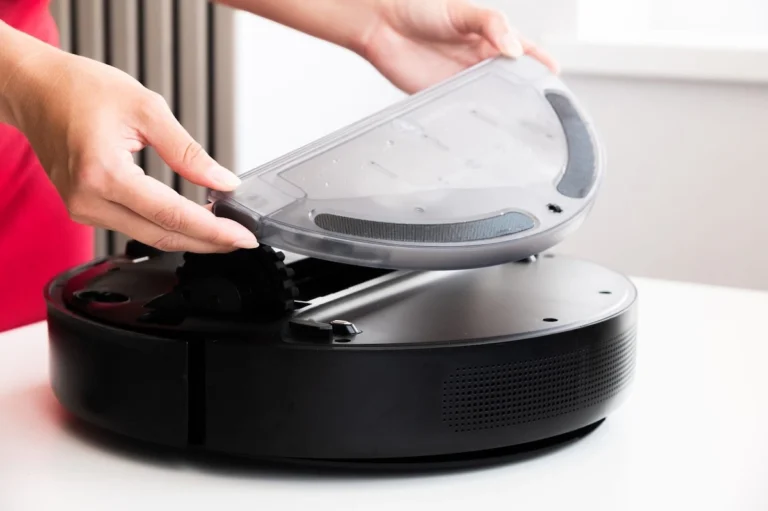
- Lift it, don’t drag it. Lift a stuck robot straight up and place it in the middle of the same room, which is what iRobot’s support team recommends for Error 1. Dragging it by the bumper can jam the bumper and add a second error.
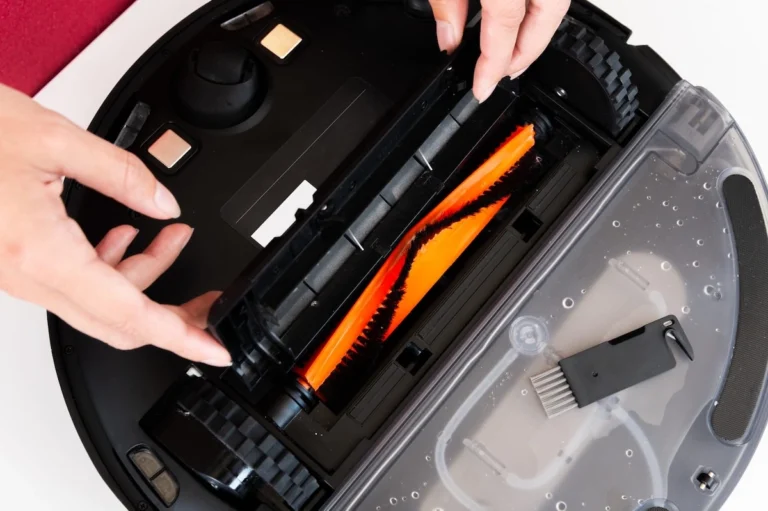
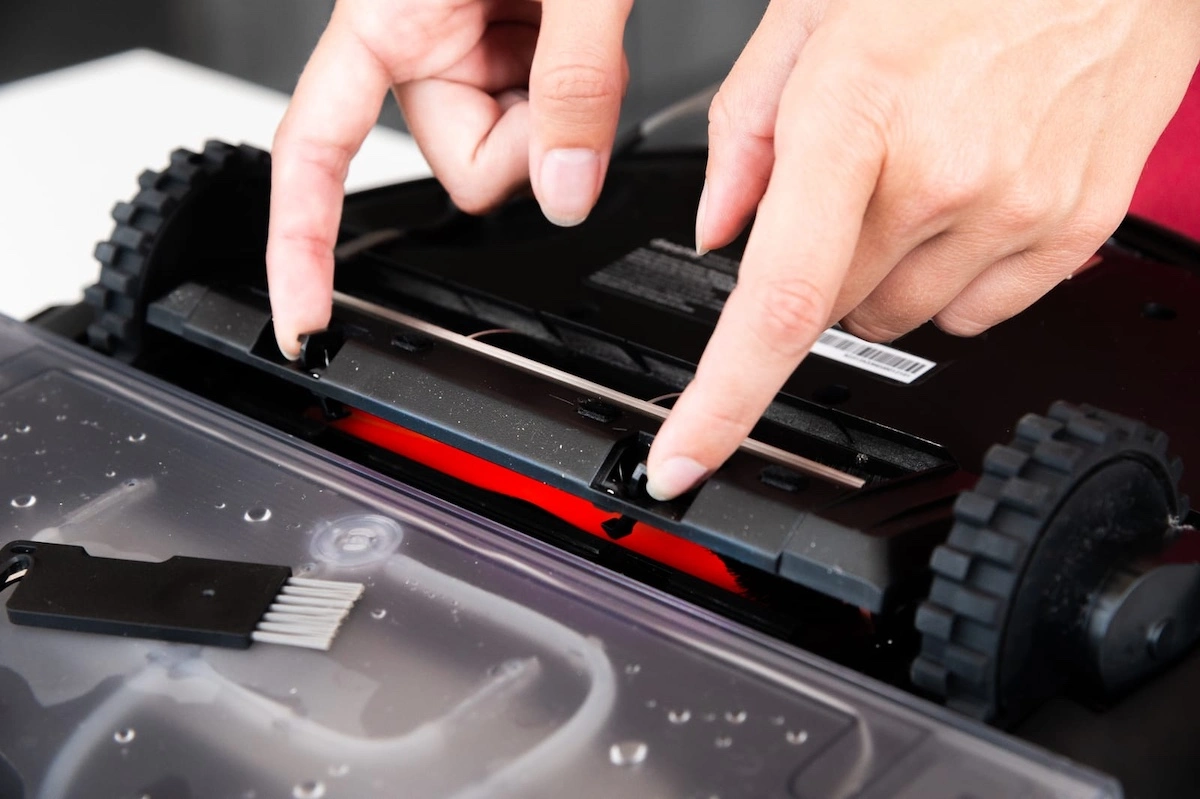
- Check both drive wheels. Push each wheel up and down and spin it by hand; it should spring back. Pull hair off the axles, as eufy’s Error 2 page instructs. Don’t skip it.
- Clear the brushes. Roborock’s S8+ manual says to clean the main brush every 2 weeks and the side brush monthly (manufacturer guidance). Our guide to cleaning a robot vacuum covers each part.
- Wipe every sensor. That means the cliff sensors under the front edge, the bumper window, and the side wall sensor. Clean every sensor with a soft, dry cloth and never a spray cleaner, because that is the method both iRobot and Roborock specify.
- Tap the bumper. It should click in and out across its full width. Roomba i Series Error 9 simply says “Tap the bumper to unstick”.
- Fix the trap where it happened.
- Thresholds: Every Roomba model tops out at a ⅝-inch (1.6 cm) threshold, so anything taller works like a wall, not a bump. Ecovacs’ help center gives 16 mm to 1.9 cm depending on the model (manufacturer claim). Taller sills need a ramp or a no-go line.
- Low furniture: compare the gap with your robot’s height (Ecovacs lists its OZMO T8 at 93.6 mm tall, manufacturer spec). A near-match is where the LiDAR turret wedges; Ecovacs fixes it with a virtual boundary or pads to raise the sofa (manufacturer claim).
- Rugs: fold fringe under, pad thin mats, and skip high pile. Roborock’s manual says: “Do not use the product on high pile carpets.”
- Cords: bundle and lift them off the floor, per iRobot’s prevention checklist.
- Set a no-go zone and restart from the dock. Block any spot you can’t fix physically, then start a fresh run. Leave the dock where it is: the map is built around it.
Match the Symptom to the Cause
| Symptom | Likely cause | Fix |
|---|---|---|
| Same doorway, every run | Sill above your model’s limit | Ramp or no-go line |
| Stops at a dark rug’s edge | Cliff sensors read dark as a drop | No-go zone; clean cliff sensors |
| Wedged under sofa or bed | Gap fits the body, not the turret | Risers or virtual boundary |
| Stops or spins in open floor | Dirty sensors or hair on a wheel | Wipe sensors, clean axles |
| “Wheel suspended” | High-centered on rug edge, toy, or cord | Clear it; anti-slip pad |
| Never makes it home | Low battery or lost map | Charge fully; keep dock fixed |
A dark rug that stops your robot cold is usually a sensor reading, not a fault: infrared cliff sensors can read black surfaces as a drop-off. Wikipedia’s Roomba entry describes this false positive, and eufy’s support center confirms it for its RoboVacs. Our breakdown of vSLAM vs LiDAR robot vacuum navigation explains how each system handles dark rooms and furniture.
Brand Error Codes That Mean “Stuck”
| Brand | Code | Meaning | First fix |
|---|---|---|---|
| Roomba | Error 1 | Side wheel stuck on an obstacle or uneven surface | Lift to room center, check wheels |
| Roomba | Error 6 | Dirty cliff sensors, dark surface, or over an edge | Wipe cliff sensors dry |
| Roomba i Series | Error 9 / 17 | Bumper jammed / robot got lost | Tap bumper / restart from dock |
| Roborock | Error 2 / 3 | Bumper stuck / wheels suspended | Tap bumper / move robot and restart (S7 MaxV manual) |
| Roborock | Error 4 / 8 | Cliff sensor error / robot trapped | Clean cliff sensors / clear obstacles (S7 MaxV manual) |
| eufy | Error 1 | Front bumper stuck | Clean and tap bumper (eufy) |
| eufy | Error 2 / S2 | Wheel stuck / wheel module error | Clean wheels, check spring-back (eufy) |
Numbering can change between model lines, so your app’s error screen is the final word.
Why This Works
Your robot builds a map while tracking its own position on it, a process called SLAM (simultaneous localization and mapping), and it trusts its sensors completely. A robot vacuum gets stuck when the room holds a trap its sensors can’t read, or when dirty sensors report something that isn’t there. Cleaning fixes the second in minutes; fixing the room makes a robot vacuum stuck in one spot a one-time problem. You’re in good company: a Georgia Tech study found 27 of 30 households had changed their homes to accommodate their Roomba, which the researchers called “Roombarization.”
Common Mistakes to Avoid
- Carrying it to another room mid-run: the robot loses its place on the map. Set it down near where it stopped, or restart from the dock.
- Spraying cleaner on the sensors: it seems more thorough, but manufacturers specify a soft, dry cloth.
- Rescuing a robot vacuum that keeps getting stuck in one spot: three stops in one place is a room problem. Set a no-go zone, as eufy advises for repeat wheel-stuck spots.
- Cleaning the brush but not the axles: hidden hair on an axle keeps triggering wheel errors after a spotless brush clean.
Safety & Maintenance Tips
- Safety: If the battery is swollen, hot, leaking, or smells odd, stop using the robot: the US Fire Administration lists all of these as signs to stop using a lithium-ion battery.
- Safety: charge at room temperature. The USFA advises against charging lithium-ion batteries below 32°F or above 105°F; Roborock’s S8+ manual gives an operating range of 39 to 104°F (4 to 40°C) (manufacturer claim).
- Maintenance: wipe the sensors whenever you clean the brush. Our robot vacuum maintenance schedule has the full routine, and our robot vacuum filter replacement guide covers the filter, which Roborock says to clean every 2 weeks.
Which Fix Is Right for Your Home?
- If it stops at the same doorway → measure the sill; above your model’s limit, add a ramp or a no-go line.
- If it balks at a dark rug → block it with a no-go zone; features to look for are in our robot vacuum buying guide.
- If you have pets → move water bowls off the route and clear axle hair weekly; see our best robot vacuum for pet hair and, for dander, an air purifier for pets.
- If kids leave toys out → schedule the run after pickup time; a Roborock S8+ only starts a scheduled run above 20% battery (manufacturer claim), and an Alexa routine can trigger it when you leave.
- If you have thick or fringed rugs → fold fringe under or block the rug; see our best robot vacuum for thick carpet.
- If you have hardwood with thin runners → pad every runner so it can’t bunch; see our best robot vacuum for hardwood floors.
- If your robot has no app → use risers, ramps, and closed doors instead of no-go zones (see our best robot vacuum without internet).
- If it gets stuck on nothing → clean the cliff sensors and axles before changing the room.
The Bottom Line
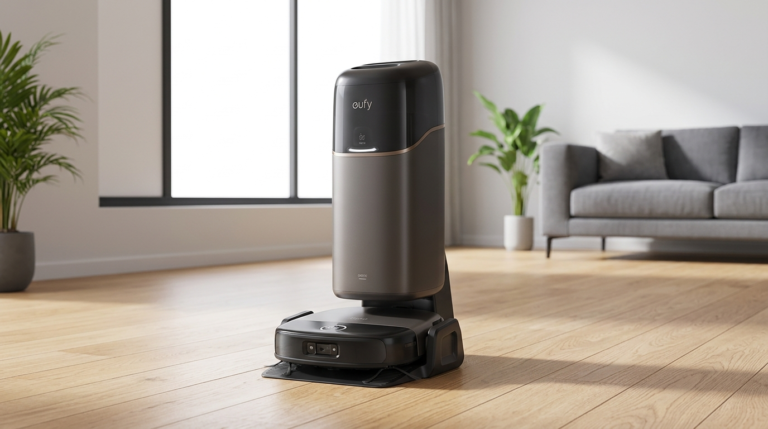
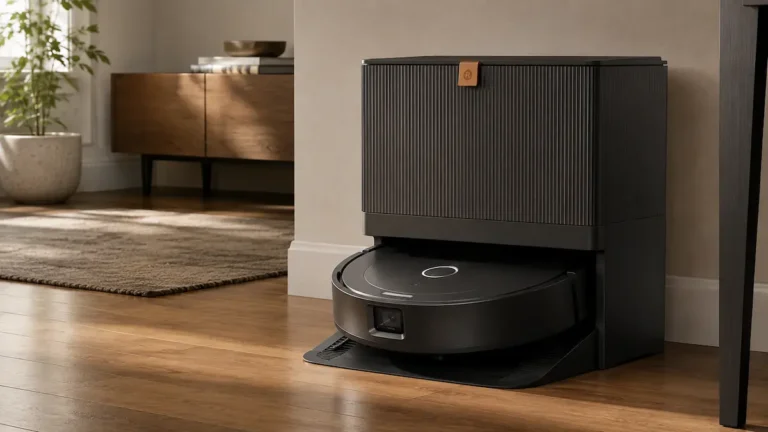
A robot vacuum stuck in the same place is pointing at something specific: a threshold, a gap, a rug, or a dirty sensor. Fix the robot in five minutes, fix the room once, and you get back the unattended runs you bought it for, especially with a self-emptying robot vacuum. More guides live in our vacuum cleaners section and on the EverydayHomeComfort home page.
How We Developed This Guide
We reviewed official support articles and user manuals from iRobot, Roborock, eufy, and Ecovacs for threshold limits, error codes, and maintenance intervals, and linked each figure to its source. We added Georgia Tech research on households and robot vacuums plus US Fire Administration battery guidance, and cut any figure we couldn’t trace to a primary source. For our full method and scoring rubric, see our review methodology.
Frequently Asked Questions
Why does my robot vacuum keep getting stuck in the same spot?
A robot vacuum that keeps getting stuck in the same spot is almost always hitting a fixed trap, not a random fault.
The usual suspects are a door sill taller than the robot can climb, a sofa gap that fits the body but not the LiDAR turret, a rug edge that lifts a wheel, or a soft-plastic bathroom sill, which iRobot’s prevention checklist flags as a trap. For scale, iRobot states every Roomba can cross a threshold of up to ⅝ inch (1.6 cm), and Ecovacs gives 16 mm to 1.9 cm depending on the model.
A typical case: your robot stalls at the bathroom door every morning, you measure the sill, and it’s 2 cm, taller than either brand’s figure. A threshold ramp or a no-go line solves it permanently.
The rule: if the robot stops in the same place three runs in a row, stop rescuing it and fix or block that spot.
Why won’t my robot vacuum go on my black or dark rug?
Most robot vacuums use infrared cliff sensors on the underside to detect stairs and ledges by bouncing light off the floor.
A black or very dark rug absorbs much of that light, so the sensor reads it as a drop-off and the robot backs away. That’s why a stuck robot vacuum often sits right at the edge of a dark rug, sometimes showing a cliff-sensor error such as Roomba Error 6. Wikipedia’s Roomba entry describes this false positive on dark carpets, and eufy’s support center confirms the same limitation for its RoboVacs. It’s the robot protecting itself, not a malfunction. For example, a charcoal living-room rug can become an island the robot never enters.
Start by wiping the cliff sensors with a dry cloth, since dust makes false readings worse. If that doesn’t help, block the rug with a no-go zone or boundary strip and vacuum it by hand, or check whether your model’s app offers a dark-carpet setting.
How do I stop my robot vacuum from getting stuck under the couch?
A robot vacuum gets stuck under a couch when the gap is tall enough for the body to enter but too low for the raised parts, usually the LiDAR turret on top.
Ecovacs’ support center describes exactly this: the robot’s top cover or LDS (laser distance sensor) catches on the sofa frame. Measure the gap and compare it with your robot’s height from the manual; Ecovacs, for instance, lists its OZMO T8 at 93.6 mm tall. Then pick one of two fixes. Raise the couch with furniture-leg risers so the robot passes under with room to spare, which also cleans a spot you never reach. Or close the gap entirely with a draft stopper or a virtual boundary in the app, which Ecovacs recommends.
For example, if your sofa clears 9.5 cm and your robot is 9.4 cm tall, risers turn a daily rescue into a clean floor.
Commit to one fix, because half-blocking a gap tends to create a new trap.
What does “wheel suspended” or Error 1 mean on a robot vacuum?
“Wheel suspended” means one or both drive wheels have dropped because the robot lost floor contact on that side.
Robot vacuum wheels are spring-loaded and sense when they’re hanging, so the robot stops instead of driving off an edge. On a Roomba, Error 1 means a side wheel is stuck on an obstacle or uneven surface, and iRobot’s i Series chart uses Error 13 when both wheels are on uneven ground. Roborock’s S7 MaxV manual lists Error 3 as “Wheels suspended,” with the instruction to move the robot and restart. In practice, the robot has usually ridden up onto a rug edge, a pet toy, a shoe, or a cord and high-centered. Lift it off, place it on open floor, and push each wheel up and down to confirm it springs back.
If the error appears on flat floor with nothing nearby, pull hair from the wheel axles. If it recurs at one rug, put an anti-slip pad underneath so the edge lies flat.
How often should I clean my robot vacuum’s sensors and wheels?
Clean the sensors and wheels on the same cadence as the main brush, which Roborock’s S8+ manual sets at every 2 weeks, and sooner if you have pets or the robot starts getting stuck on nothing.
Use a soft, dry cloth on the cliff, wall, and bumper sensors, the method Roborock and iRobot both specify. For the wheels, pull hair from the axles and check that each wheel springs back when pressed. The same manual recommends cleaning the side brush monthly and the filter every 2 weeks, and replacing the main brush every 6 to 12 months. A realistic routine for a home with a shedding dog: empty the bin after each run and do a 5-minute brush, sensor, and wheel clean every weekend. That habit clears most “stuck on nothing” errors before they happen.
For the full calendar, see our robot vacuum maintenance schedule; our robot vacuum buying guide covers features, like anti-tangle brushes, that prevent rescues.